【無料】Avatar Blendshape Utility
- ダウンロード商品¥ 0無料ダウンロードAvatar_Blendshape_Utility.zip(22.7 KB)Avatar_Blendshape_Utility.zip
使用アバター:うらら VCC(ALCOM)対応を追加しました。
日本語
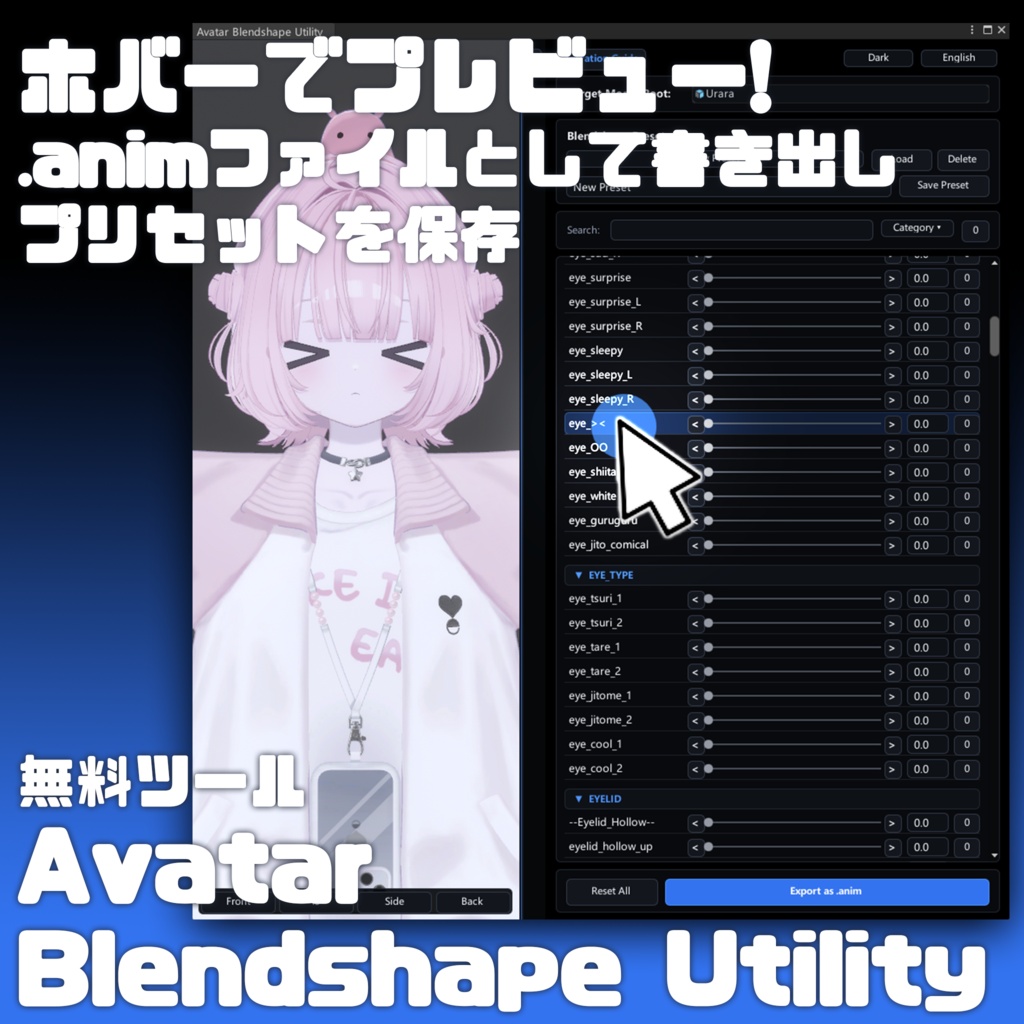
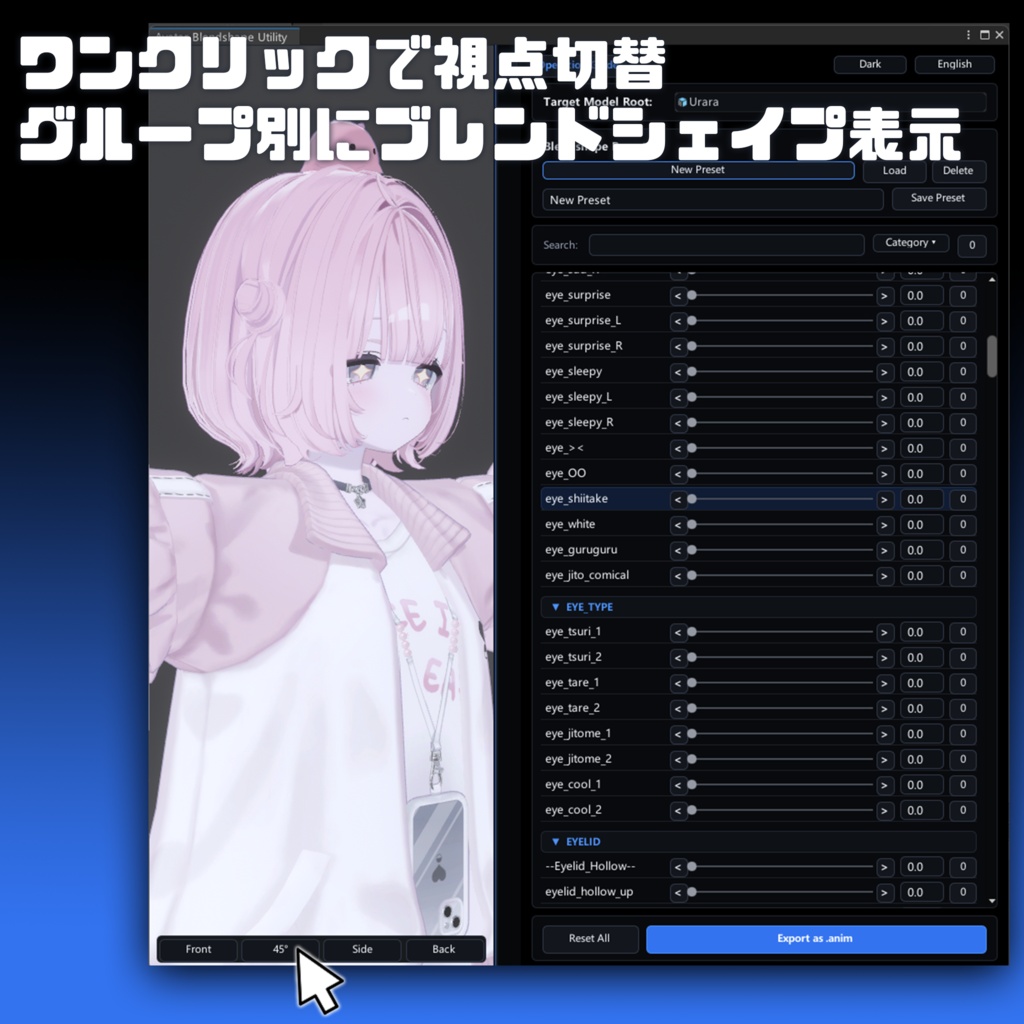
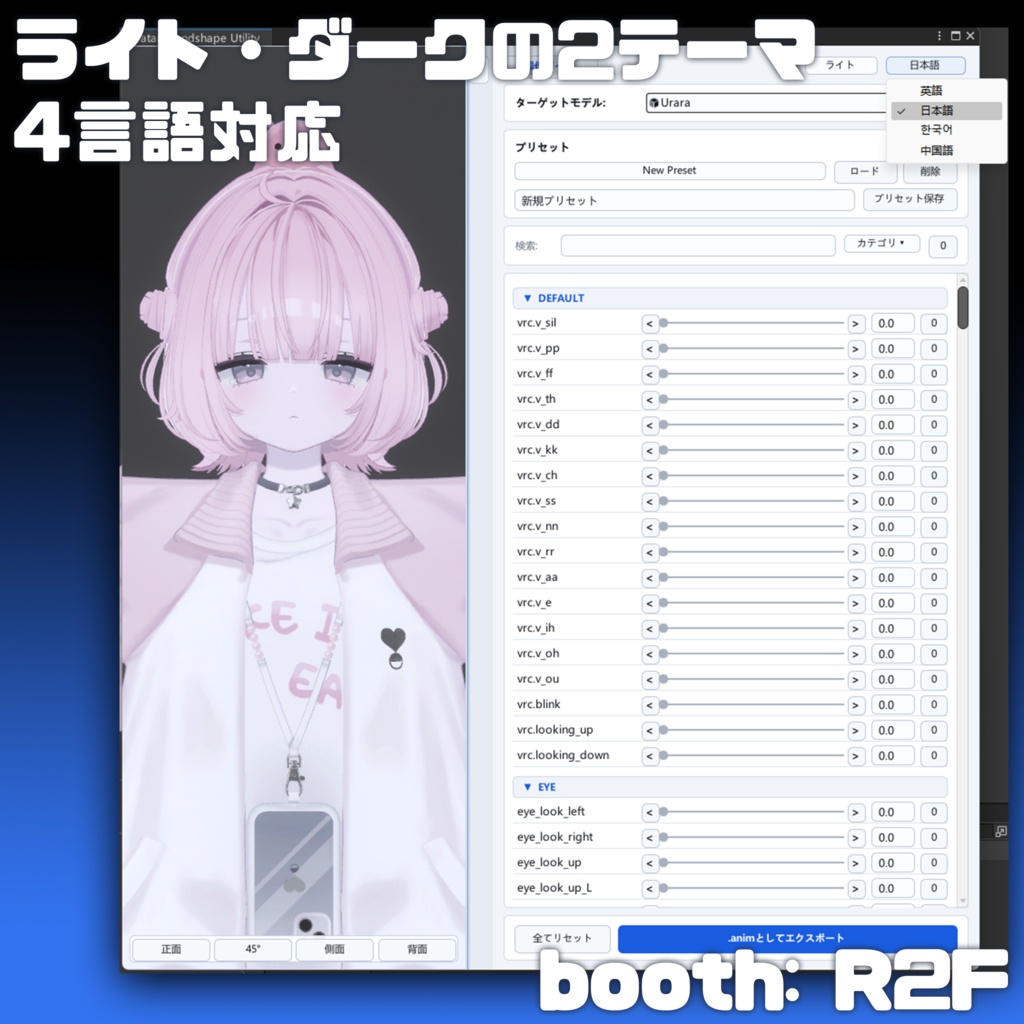
━━━━━ 概要 ━━━━━ 「Avatar Blendshape Utility」は、Unity上でアバターのBlendShape(シェイプキー)を簡単に確認・調整できるエディタ拡張ツールです。 表情をプレビューしながら数値を調整し、設定の保存や.animファイルへの書き出しが行えます。 ━━━━━ 主な機能 ━━━━━ ・カーソルを合わせるだけでBlendShapeをプレビュー ・スライダー、数値入力、±0.1単位での微調整 ・複数のBlendShape設定をプリセットとして保存 ・設定した表情を.animアニメーションファイルとして出力 ・正面/45度/側面/背面の視点切り替え ・プレビューカメラの回転、移動、ズーム操作 ・ライト/ダークの2種類のテーマ ・日本語/英語/中国語/韓国語の4言語に対応 ・Undo/Redoに対応 ━━━━━ 使用方法 ━━━━━ 1.本ツールをUnityプロジェクトへインポートします。 2.上部メニューから「R2F > Avatar Blendshape Utility」を開きます。 3.編集したいアバターを選択します。 4.プレビューを確認しながらBlendShapeを調整します。 5.必要に応じてプリセットを保存、または.animファイルとして出力します。 ━━━━━ 内容物 ━━━━━ ・Avatar Blendshape Utility 本体 ━━━━━ 注意事項 ━━━━━ ・本ツールはUnity Editor上で使用するエディタ拡張ツールです。 ・導入前にプロジェクトのバックアップを推奨します。 ・アバターの構造や設定によっては、一部機能が正常に動作しない場合があります。 ・本商品の再配布、再販売、改変したデータの配布は禁止します。 ・ダウンロード商品の特性上、返金および返品には対応しておりません。 ・本商品を利用したことにより発生した損害・破損・トラブル等について、制作者は一切の責任を負いかねます。 商品に関して何か問題等がございましたら、BOOTHのメッセージ機能よりご連絡ください。
English
━━━━━ Overview ━━━━━ “Avatar Blendshape Utility” is a Unity Editor extension that allows you to easily preview and adjust avatar BlendShapes (shape keys). You can adjust values while previewing facial expressions, save presets, and export your settings as .anim animation files. ━━━━━ Main Features ━━━━━ ・Preview BlendShapes simply by hovering the cursor over them ・Adjust values using sliders, direct numerical input, or ±0.1 increments ・Save multiple BlendShape configurations as presets ・Export configured facial expressions as .anim animation files ・Switch between Front, 45°, Side, and Back views ・Rotate, pan, and zoom the preview camera ・Light and Dark themes ・Supports four languages: Japanese, English, Chinese, and Korean ・Supports Undo and Redo ━━━━━ How to Use ━━━━━ 1. Import this tool into your Unity project. 2. Open “R2F > Avatar Blendshape Utility” from the top menu. 3. Select the avatar you want to edit. 4. Adjust the BlendShapes while checking the preview. 5. Save the configuration as a preset or export it as an .anim file when needed. ━━━━━ Included Contents ━━━━━ ・Avatar Blendshape Utility ━━━━━ Important Notes ━━━━━ ・This tool is a Unity Editor extension and can only be used within the Unity Editor. ・We recommend backing up your project before installation. ・Some features may not work correctly depending on the avatar’s structure or configuration. ・Redistribution, resale, or distribution of modified versions of this product is prohibited. ・Due to the nature of downloadable products, refunds and returns are not accepted. ・The creator assumes no responsibility for any damage, data loss, or other issues resulting from the use of this product. If you encounter any problems with this product, please contact us through the BOOTH messaging system.
中文
━━━━━ 概要 ━━━━━ “Avatar Blendshape Utility”是一款 Unity 编辑器扩展工具,可以简单方便地预览和调整虚拟形象的 BlendShape(形态键)。 您可以在预览表情效果的同时调整数值、保存设置,并将设置导出为 .anim 动画文件。 ━━━━━ 主要功能 ━━━━━ ・将光标悬停在 BlendShape 上即可预览效果 ・支持滑块、直接输入数值以及 ±0.1 的精确调整 ・可将多组 BlendShape 设置保存为预设 ・可将设置好的表情导出为 .anim 动画文件 ・支持正面/45度/侧面/背面视角切换 ・支持旋转、移动和缩放预览摄像机 ・提供亮色与暗色两种主题 ・支持日语/英语/中文/韩语四种语言 ・支持撤销/重做 ━━━━━ 使用方法 ━━━━━ 1.将本工具导入 Unity 项目。 2.从顶部菜单打开“R2F > Avatar Blendshape Utility”。 3.选择需要编辑的虚拟形象。 4.一边查看预览效果,一边调整 BlendShape。 5.根据需要保存预设,或导出为 .anim 动画文件。 ━━━━━ 包含内容 ━━━━━ ・Avatar Blendshape Utility 工具本体 ━━━━━ 注意事项 ━━━━━ ・本工具是仅限在 Unity Editor 中使用的编辑器扩展工具。 ・建议在导入前备份您的项目。 ・根据虚拟形象的结构或设置,部分功能可能无法正常运行。 ・禁止重新分发、转售本商品,以及分发经过修改的数据。 ・由于下载类商品的特殊性质,购买后不支持退款或退货。 ・因使用本商品而产生的任何损失、文件损坏或纠纷等问题,制作者概不负责。 如果您在使用商品时遇到任何问题,请通过 BOOTH 的消息功能与我联系。